
To do this, first go to your Admin Section in the Users Tab:
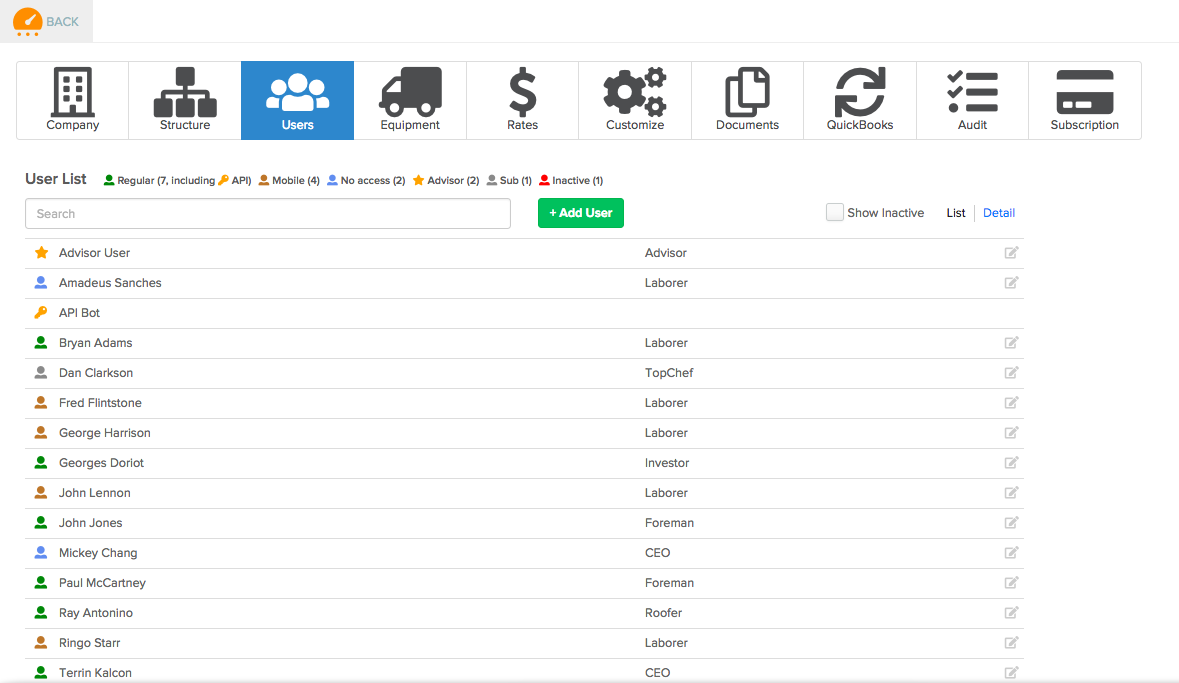
Click the name of the user you would like to deactivate to bring up the edit screen:
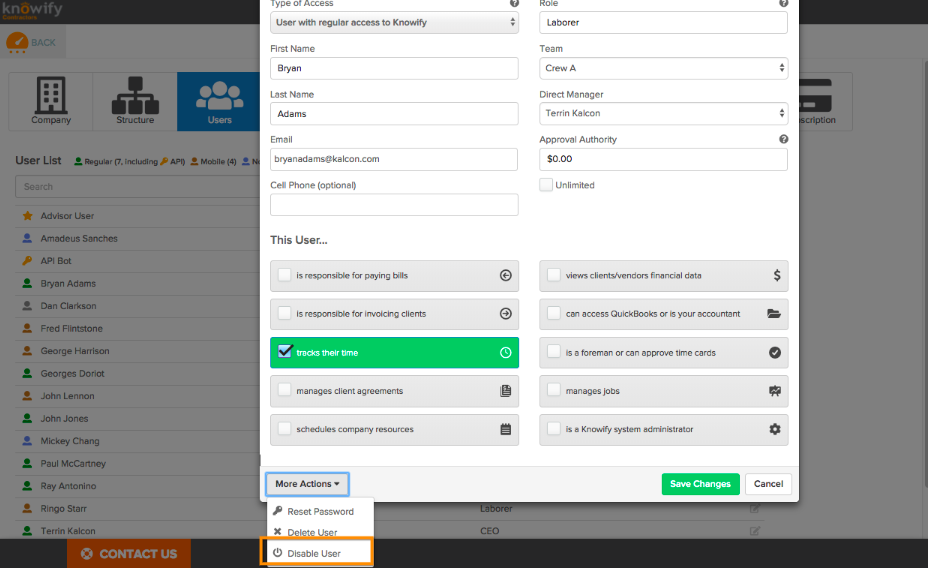
The More Actions menu at the bottom of this window will have the option to Disable User, which will prevent them from logging in, and remove them from your Knowify subscription pricing, but save all of their data that has been logged against the job.
Warning
Deactivating a user from your Knowify does not remove them from your Broadcast Email List. If you have deactivated a user who is on your Broadcast List, please ALSO reach out to support so we can remove their email from the Broadcast.
Comments
0 comments
Please sign in to leave a comment.