
Knowify gives you the option to tag any of your jobs so that it is easier to organize, search, and manage all of your jobs.
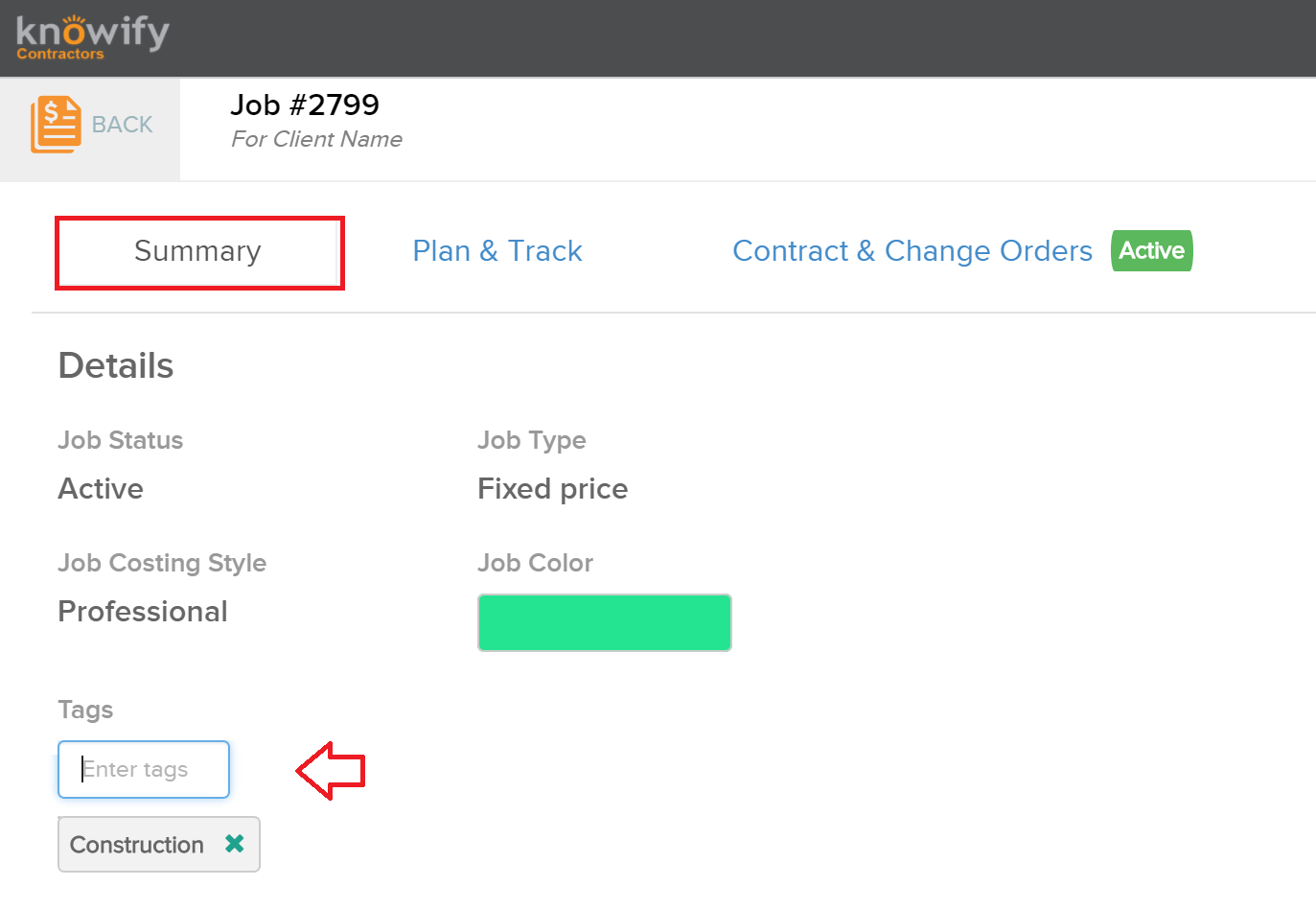
Within the summary tab of any job, you'll be able to view any of the tags for this job as well as to add new tags here. To add a new tag, type the tag name in the box and then press enter to lock it in:
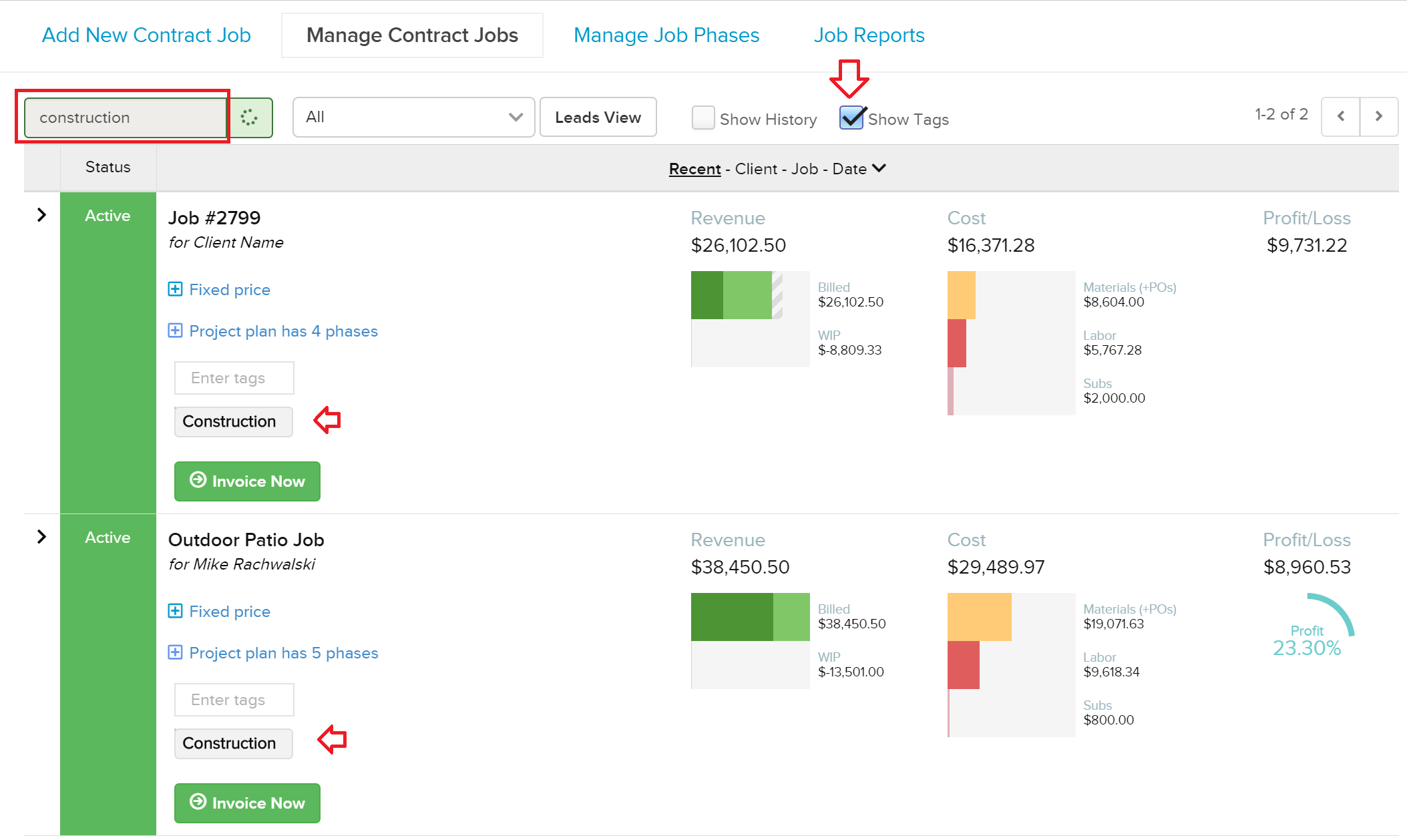
You can then search through your contract jobs by tag, and we will display any jobs that have been tagged accordingly. You can check off the Show Tags box to view all tags entered for all of your jobs, directly from the contract jobs table:
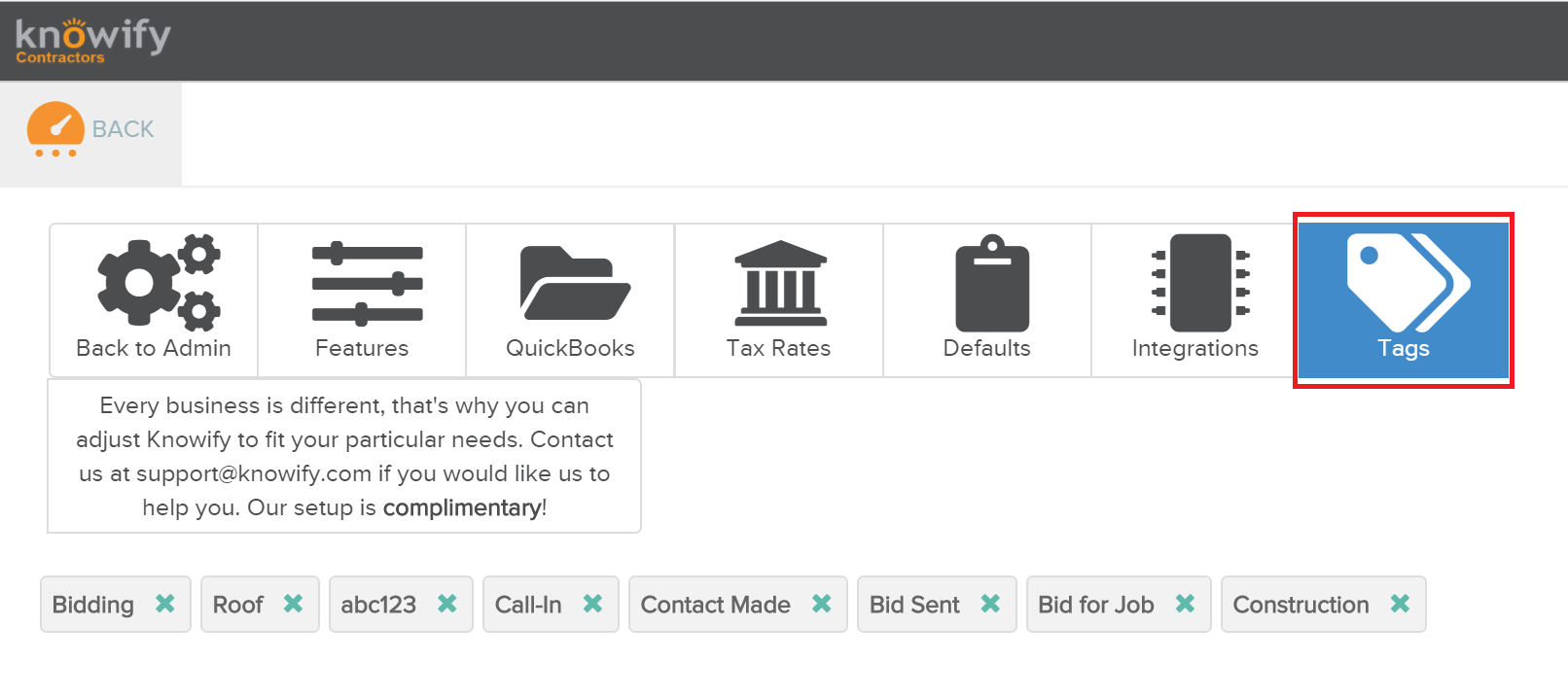
In your Admin Section, you can manage all of your tags and remove any of the tags that you are not using:
Comments
0 comments
Please sign in to leave a comment.