
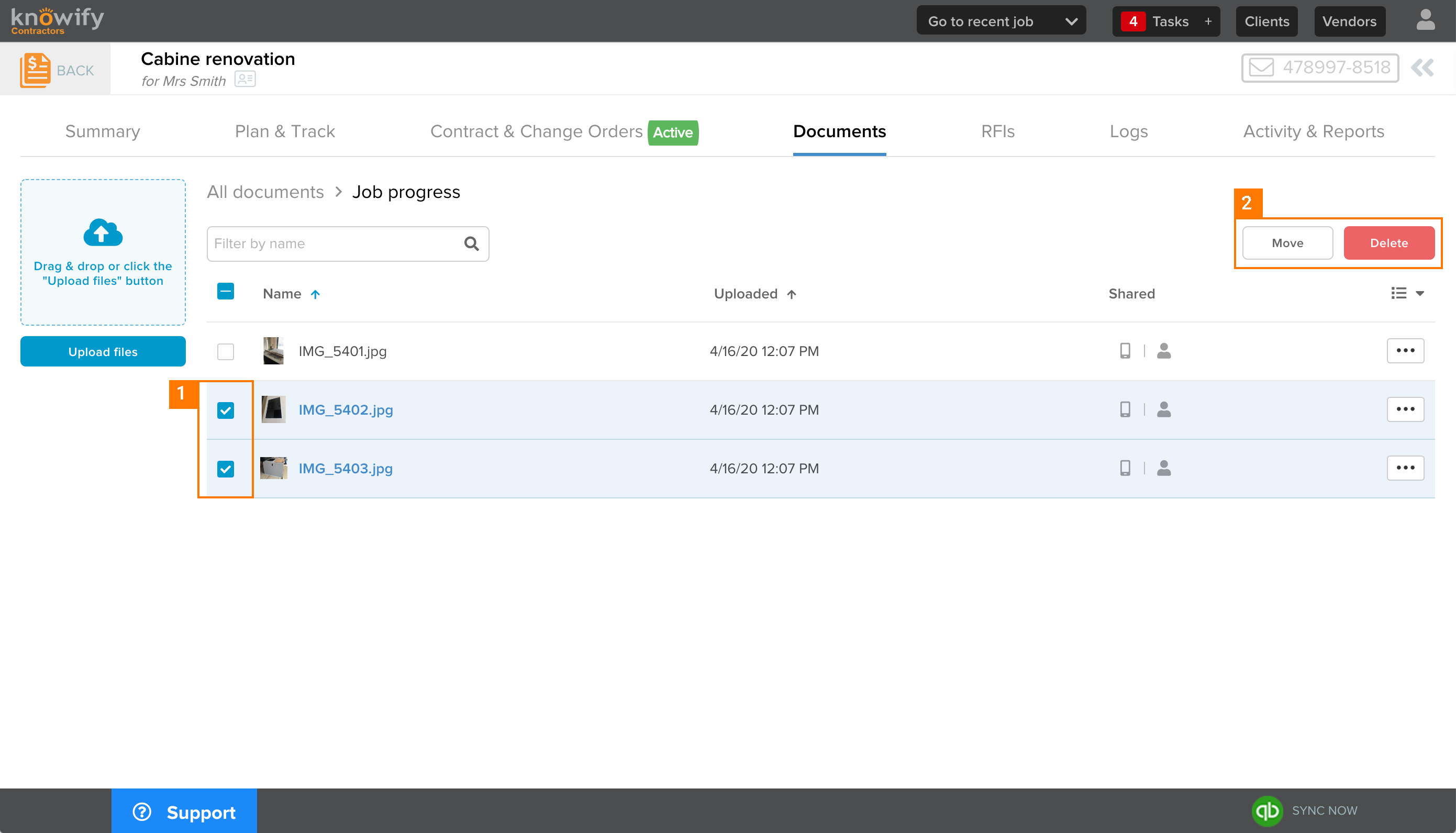
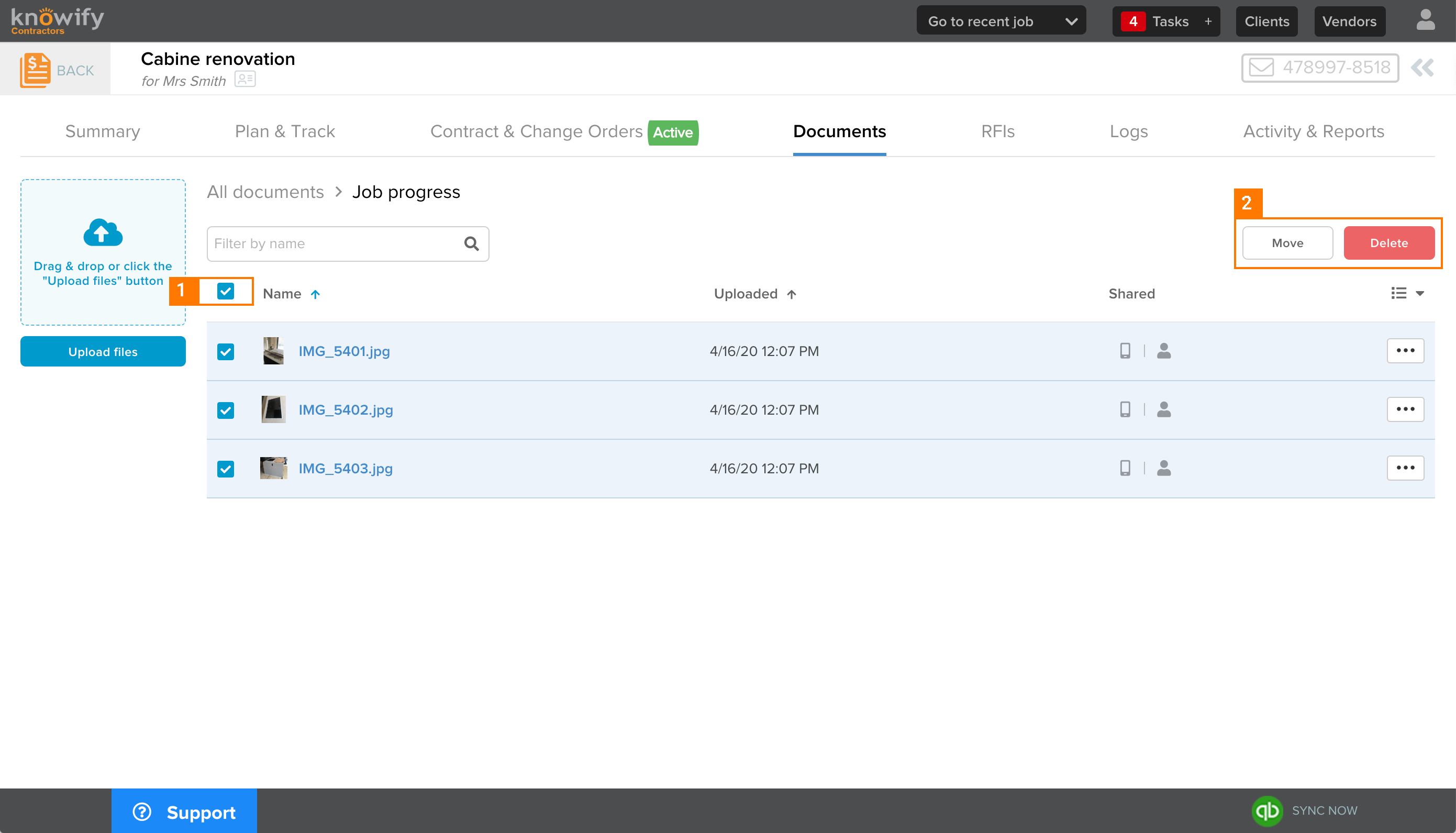
You can now select multiple items to be either moved to another folder or deleted at once. This can be accomplished by checking the box for the targeted documents / pictures or checking the select all box at the top.
Targeted documents
- Click on all check boxes of the documents / pictures you would like to apply the action to.
- Click on action to apply: Move or Delete.
Select all documents
- Click on the check box at the top to select all documents at once.
- Click on action to apply: Move or Delete.
Information
Only moving and deleting items can be applied as bulk actions. You cannot download documents / pictures in bulk yet. Stay tuned because this feature is in our pipeline!
Comments
0 comments
Please sign in to leave a comment.