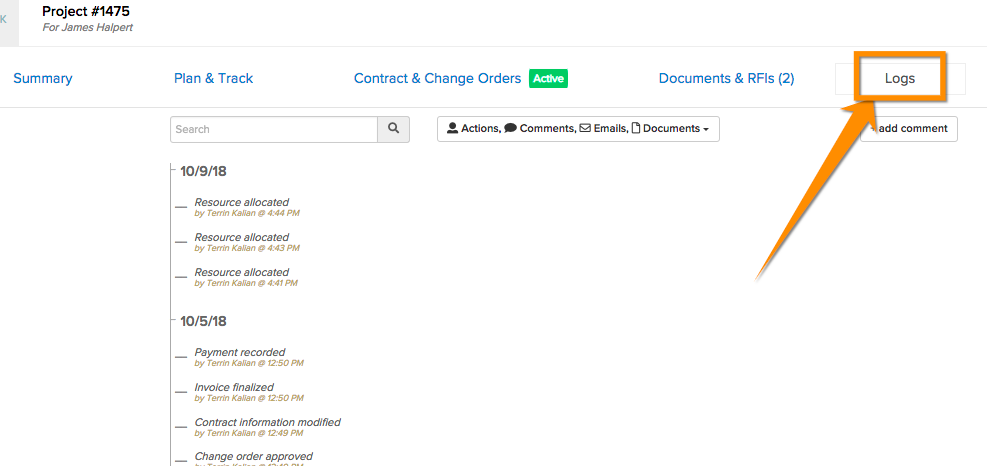
To add a comment to a job, open up the job and go to the Logs tab:
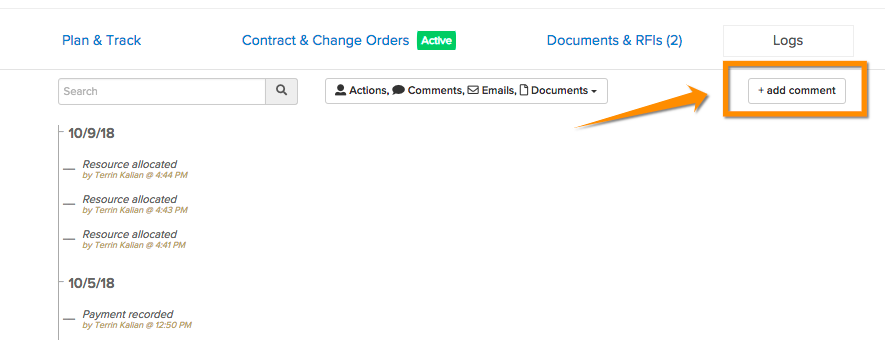
Then click + add comment:
This will prompt for a comment, and a relevant phase of the job:

Once complete, clicking Add will include this comment in the job's log:


To add a comment to a job, open up the job and go to the Logs tab:
Then click + add comment:
This will prompt for a comment, and a relevant phase of the job:
Once complete, clicking Add will include this comment in the job's log:
Comments
0 comments
Please sign in to leave a comment.