To view where your employees are checked in, first go to the Scheduling tab:

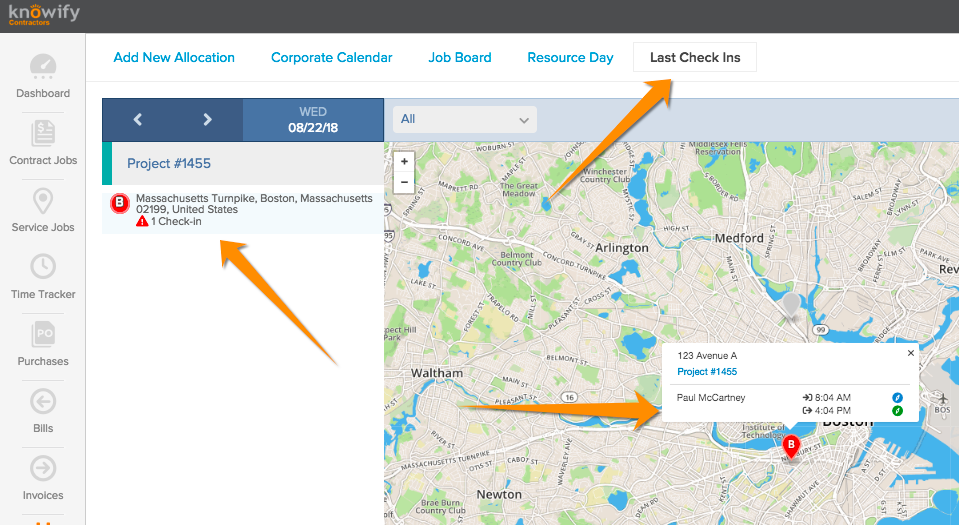
Then click Last Check-Ins at the top of the screen, and you can view each check in/out per day by clicking the relevant project on the lefthand side of the screen:

To view where your employees are checked in, first go to the Scheduling tab:
Then click Last Check-Ins at the top of the screen, and you can view each check in/out per day by clicking the relevant project on the lefthand side of the screen:
Comments
0 comments
Please sign in to leave a comment.