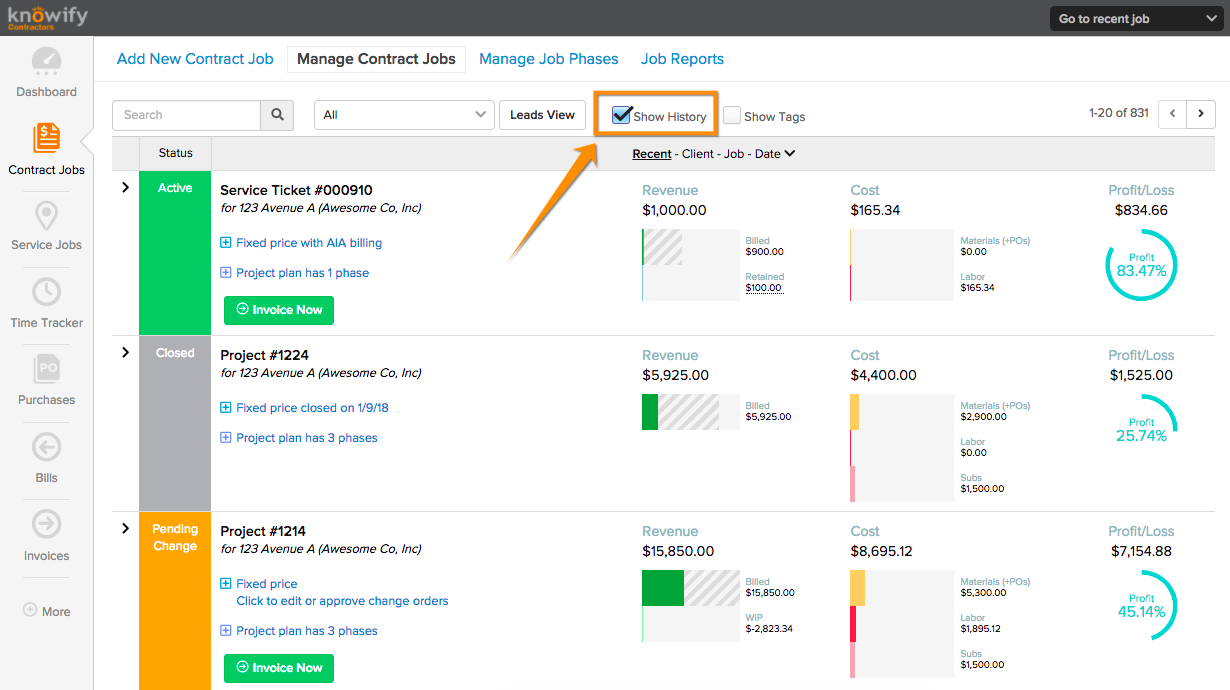
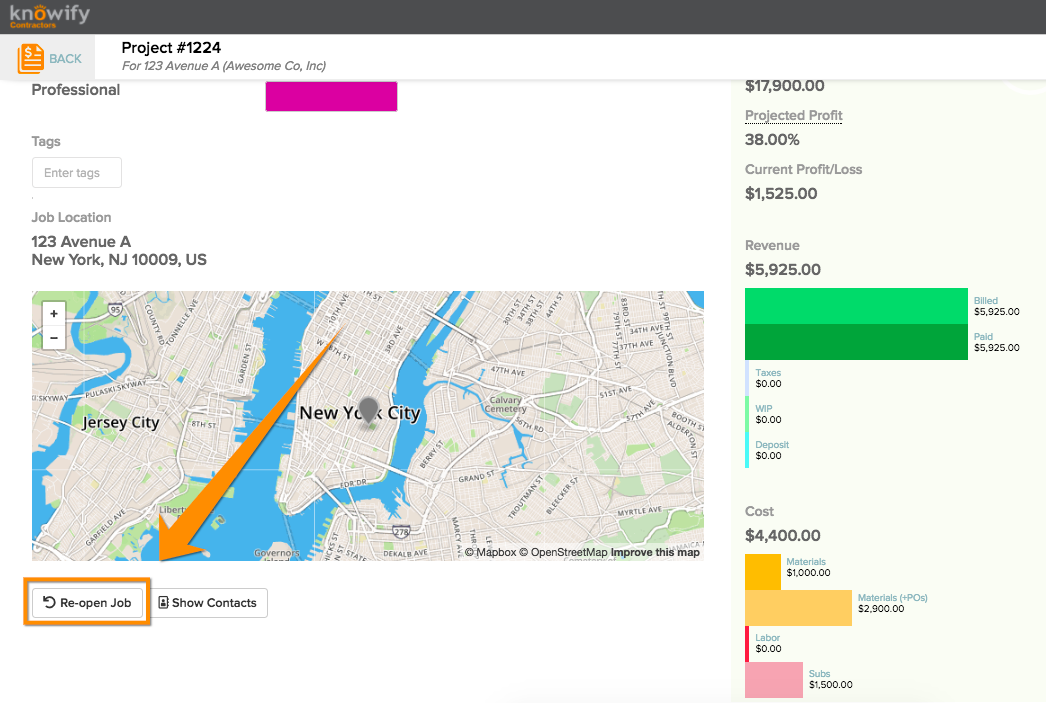
How to re-open closed jobs Terrin Kalian October 16, 2018 16:52 Updated Follow To view/re-open closed jobs, first go to your Manage Contract Jobs screen and click "Show History" Then you can click any jobs to see all of the associated data. You can also re-open a job in the Summary tab as shown here: Related articles How to view/hide closed jobs for job costing How to delete a job How to edit user permissions Invoicing AIA in free mode Customer portal Comments 0 comments Please sign in to leave a comment.
To view/re-open closed jobs, first go to your Manage Contract Jobs screen and click "Show History" Then you can click any jobs to see all of the associated data. You can also re-open a job in the Summary tab as shown here:
Comments
0 comments
Please sign in to leave a comment.