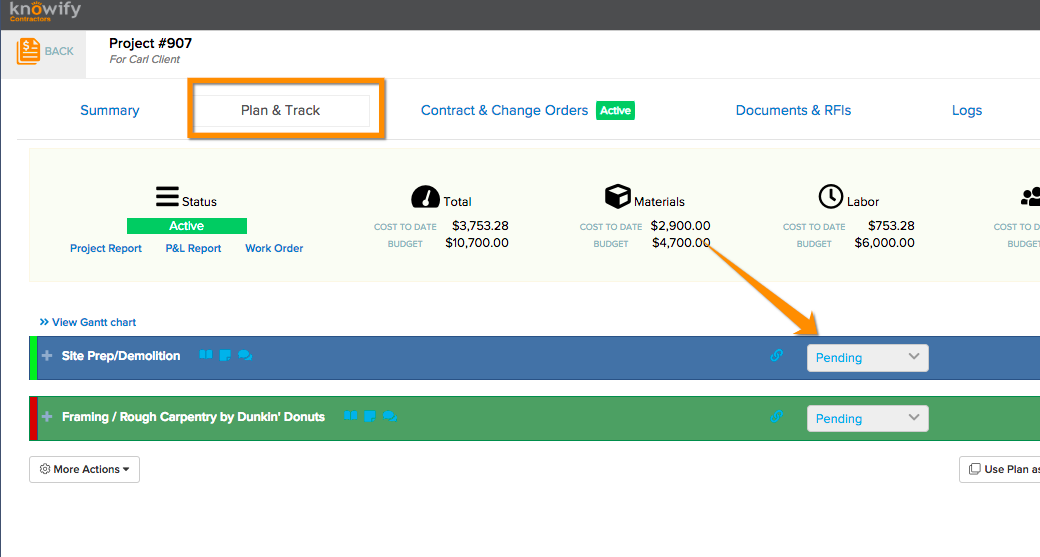
To mark a phase as closed, first find the relevant job and go to the Plan & Track section:
The dropdown menu on the phase will give you the option to mark it as Pending, Active, or Closed:

To mark a phase as closed, first find the relevant job and go to the Plan & Track section:
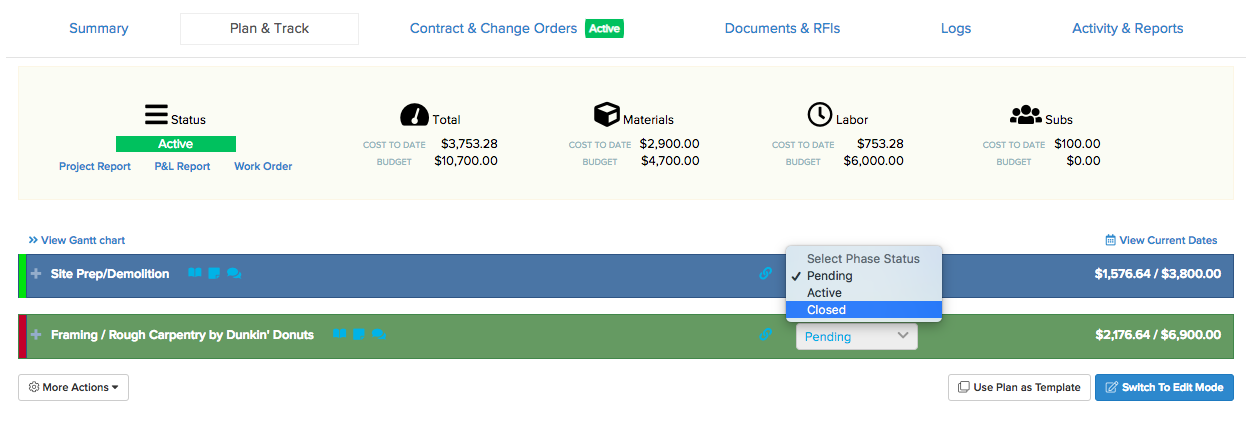
The dropdown menu on the phase will give you the option to mark it as Pending, Active, or Closed:
Comments
0 comments
Please sign in to leave a comment.