
Billable items are different values that are due to be invoiced to clients. They mainly apply to Cost Plus and Time & Material jobs, and are created whenever new costs are added to the job.
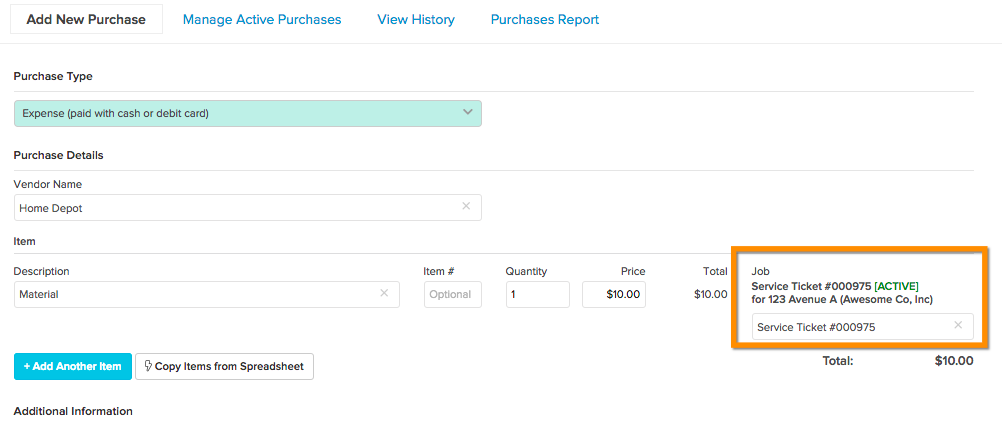
In the example below, an expense is added to a T&M service ticket:
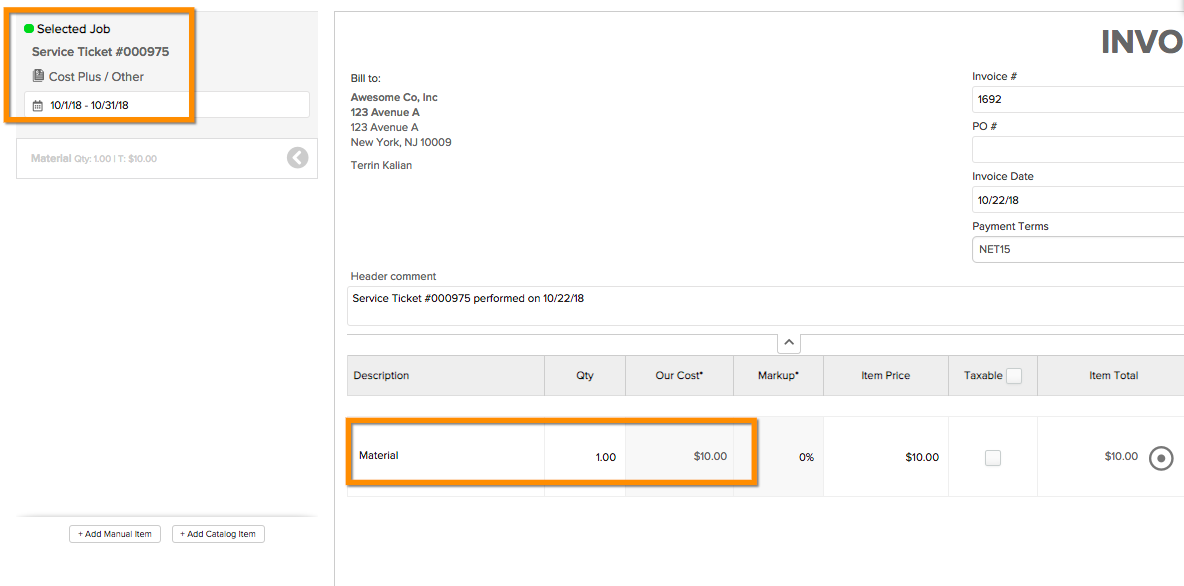
Then when this ticket is completed, the expense will be invoiceable to the client:
Tip
A list of all pending billable items can be found in the Manage Billable Items tab of your Invoices module.
Note
Time entries need to be approved in the review time section in order to become a billable item.
Comments
0 comments
Please sign in to leave a comment.